

Overview
MOBILedit Forensic is able to identify Apple AirTags and other Bluetooth tracking beacons by analysing application databases stored on the device. These artefacts can indicate that a device has detected, seen, or interacted with nearby tracking accessories.
This analysis relies on on-device application data. Availability depends heavily on the platform, OS version, and extraction type.
Apple AirTags – Data Sources
Android
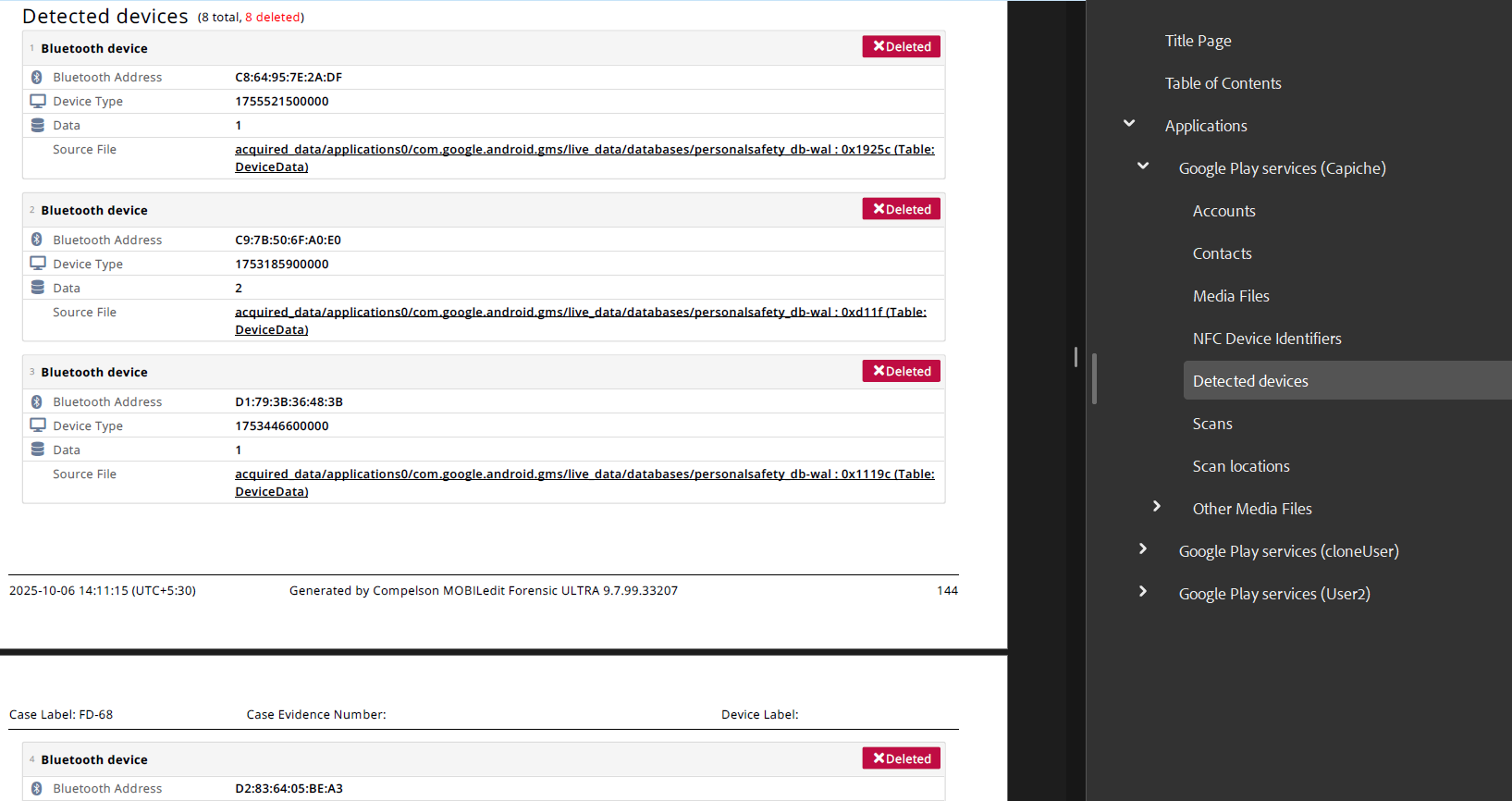
On Android devices, AirTag-related detections are stored within Google services responsible for Bluetooth and unwanted tracker alerts.
Location in MOBILedit Forensic:
Applications > Google Play Services > Detected devices
Requirements:
-
Rooted device or
-
Decrypted physical extraction or
-
Advanced Data Extraction
Logical extractions alone are generally insufficient, as the relevant databases are protected within the Google Play Services sandbox.
iOS
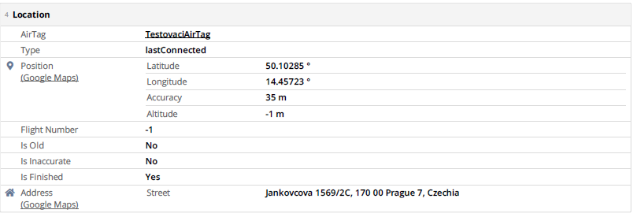
On iOS devices, AirTag data is managed by Apple’s Find My framework.
Location in MOBILedit Forensic:
Applications > Find My > AirTags
This may include:
-
Detected AirTags
-
AirTags seen moving with the device
-
Alerts related to unknown or nearby AirTags
iTunes Backup Limitation (iOS)
AirTag data was not found in standard iTunes backups during testing. This strongly suggests that the relevant Find My databases are excluded from backups or stored in protected system locations.
Implication:
Access to AirTag artefacts on iOS may require:
-
A jailbreak, or
-
Another extraction method that provides access beyond the iTunes backup scope
This behaviour is consistent with Apple’s data protection model for sensitive location and tracking information.
Key Points to Note
-
AirTag evidence reflects detection or proximity, not ownership.
-
Presence of records does not prove who placed or controlled the AirTag.
-
Absence of data does not confirm that no AirTag was present.
-
Results depend on OS version, device state, and extraction method.
Summary Table
|
Platform |
Data Location |
Extraction Requirements |
|---|---|---|
|
Android |
Google Play Services → Detected devices |
Root / Decrypted Physical / Advanced Extraction |
|
iOS |
Find My → AirTags |
Jailbreak or equivalent access |
|
iOS (iTunes backup) |
Not available |
Data not present in backups |